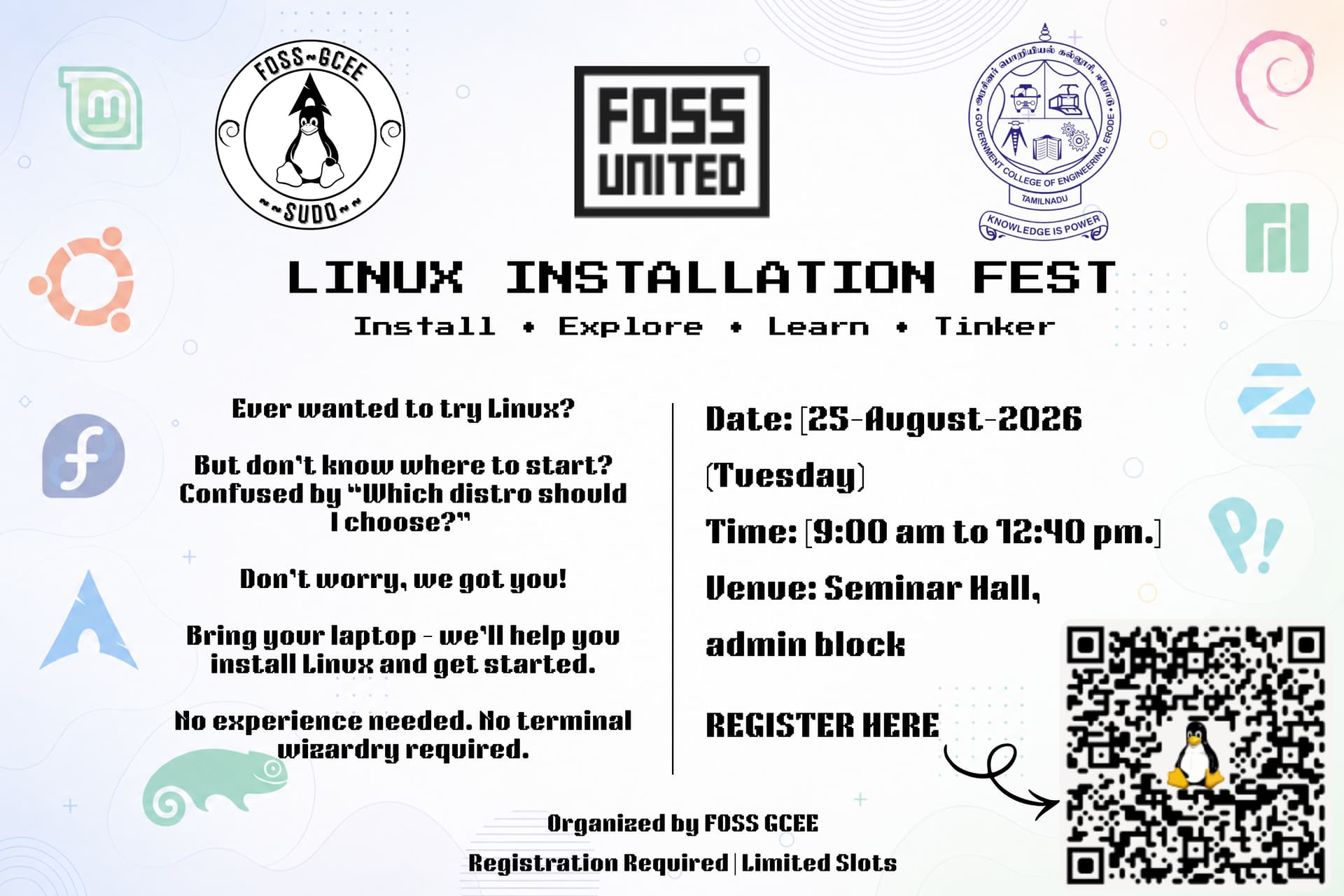
Linux Installation Fest — Event Report
What is your name?
Bharath Kumar P.
What’s your Club’s name?
FOSS GCEE
Event name
Linux Installation Fest
Event type - Knowledge session or hands-on
Hands-on Technical Event
Explain the event briefly
The Linux Installation Fest was a half-day technical event organized by FOSS GCEE to introduce students to Linux, operating systems, open-source technologies, and the practical process of setting up Linux on their systems.
The event began with an overview of operating systems and their role in computing, followed by a practical Linux installation demonstration. Students were also introduced to basic Linux commands and terminal usage.
A few students proceeded to install Linux directly on their own machines during the event. They actively interacted with the organizers, asking questions about installation, system setup, partitioning, boot configuration, and other aspects of getting started with Linux.
The main objective was to provide students with practical exposure to Linux and help them take their first steps towards using open-source software.
Speaker Details
Dr. R. Anurekha
Role: Faculty Advisor, FOSS GCEE
Session: Overview of Operating Systems
Dr. R. Anurekha, who handles the Operating Systems course for the department, gave students an overview of what an operating system is, its purpose, and its role in managing computer hardware and software resources.
Mr. P. Bharath Kumar
Role: President, FOSS GCEE
Session: Linux Installation Demonstration
He demonstrated the Linux installation process and explained the steps involved in preparing a system, booting the installation media, setting up the installation, and getting Linux running on a machine.
He also interacted with students who were installing Linux on their own systems and helped answer questions regarding installation and system setup.
Mr. V. Vikash
Role: Vice President, FOSS GCEE
Session: Basic Linux Commands
He introduced students to basic Linux commands and terminal usage, covering common operations such as navigating directories, managing files, and performing basic tasks through the command line.
Was the speaker provided to you by FOSS United?
No. The resource persons were members of FOSS GCEE and the Faculty Advisor.
Mode of the event
In-person
If Digital or Hybrid, share the livestream/recording link
Not applicable.
Event Photos
Event Materials
Presentation
The presentation used during the Linux Installation Fest is available here:
Linux Installation Fest — Presentation PDF
How many people attended your event?
53 students
What went well at the meetup?
The event worked well because it combined a short introduction to operating systems with practical Linux installation and interaction.
The FOSS GCEE team handled event planning, promotion, registration, venue preparation, technical setup, and coordination.
A few students actually installed Linux on their machines during the event rather than only watching the demonstration. They were actively involved and asked several questions regarding installation, system setup, partitioning, boot configuration, and getting started with the new operating system.
The organizers were able to directly assist students with their questions and help them understand the process. This made the event more interactive and practical than a purely lecture-based session.
What could be improved?
The event could have benefited from more time dedicated to hands-on installation and troubleshooting.
For future editions, we would like to:
- Allocate more time for students to install Linux themselves.
- Have dedicated volunteers at individual installation stations.
- Prepare a hardware and compatibility checklist beforehand.
- Cover common installation and boot-related issues in more detail.
- Include a post-installation setup session.
- Give participants a short guide containing the basic Linux commands covered during the event.
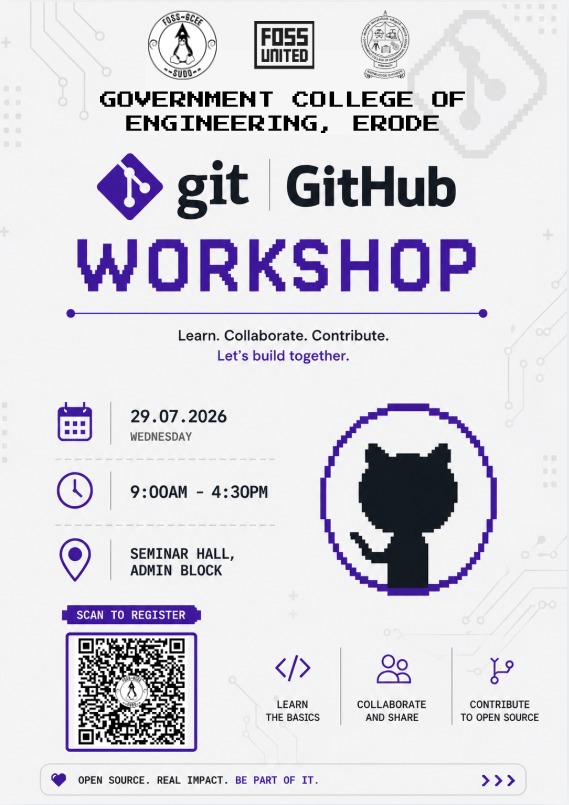
- Introduce students to Git, GitHub, and making their first open-source contribution.
What open source tools did you use at your event?
The primary open-source technology used during the event was Linux.
The event also covered:
- Linux distributions
- Linux terminal
- Basic Linux command-line utilities
- Open-source operating systems
Were there any challenges in using those tools?
The main challenges were related to differences between participants’ laptops and their existing system configurations.
Students had different hardware, storage layouts, firmware settings, and boot configurations. This meant that the Linux installation process was not exactly the same for every machine.
Some students also had questions regarding system setup and installation configuration. The organizers assisted them individually and helped them understand the appropriate steps for their systems.
Was one of those tools a crowd favorite?
Linux itself was the main point of interest.
Students were particularly interested in actually installing Linux on their own machines and understanding what changes when moving from their existing operating system to a Linux environment.
The terminal and basic Linux commands also generated interest among participants who were new to Linux.
Link us to the contributions that your community members made at the event, if any?
No specific upstream open-source contributions were made during the event.
The focus was on Linux installation, basic Linux usage, and introducing students to the open-source ecosystem.
Did you find anybody at the event a good fit to be a mentor or speaker for future events?
Yes.
The FOSS GCEE core team members who conducted the sessions demonstrated their ability to explain technical concepts and assist students with practical problems.
The students who actively participated, installed Linux on their machines, and asked questions also showed strong interest in Linux and open source. Some of these students could potentially become future volunteers and contributors to FOSS GCEE activities.
The team can also conduct future sessions on Linux, Git, GitHub, open-source contribution, system administration, and developer tools.
Did you spend any money on the event?
No significant expenses were incurred for the event.
The seminar hall, basic infrastructure, audio-visual equipment, and other required facilities were provided by Government College of Engineering, Erode.
Promotion, registration, technical preparation, and event coordination were handled by the FOSS GCEE team.
Anything else you would want to note down for later?
The Linux Installation Fest gave students an opportunity to move from simply hearing about Linux to actually setting it up and using it.
Although only a few students installed Linux directly during the event, their active participation and questions made the hands-on portion particularly valuable. It also helped the organizing team understand the kinds of issues beginners face when moving to Linux.
For future events, FOSS GCEE plans to expand the hands-on format and provide more structured support for students installing and exploring Linux for the first time.
The event is a starting point towards building a stronger Linux and open-source culture at Government College of Engineering, Erode.

 Hello from FOSS GCEE!
 Website: https://fossgcee.vercel.app
 GitHub: fossgcee (fossgcee) · GitHub
 Instagram: https://instagram.com/fossgcee
 WhatsApp: WhatsApp Group Invite
 Discord: Discord

 What is your name?
 What’s your Club’s name?
 Event Type
 Explain the event briefly
 Speaker Details
 Was the speaker provided by FOSS United?
 Mode of the event
 Recording
 Attendance
 What went well?
 What could be improved?
 Open Source tools used
 Challenges while using the tools
 Crowd Favorite
 Contributions made during the event
 Future mentors or speakers
 Expenses
 Looking Ahead
 Docker & Containers
 Linux Installation Fest
 OpenStreetMap Mapping Parties
 Beginner-friendly Open Source Contributions