Hi everyone,
I’m building Timeline Studio, an MIT-licensed, local-first AI video editor that runs directly in the browser.
The project started from a simple question: how much of a modern video-editing and AI workflow can run locally in a web browser, without requiring users to upload their project media to a traditional editing backend?
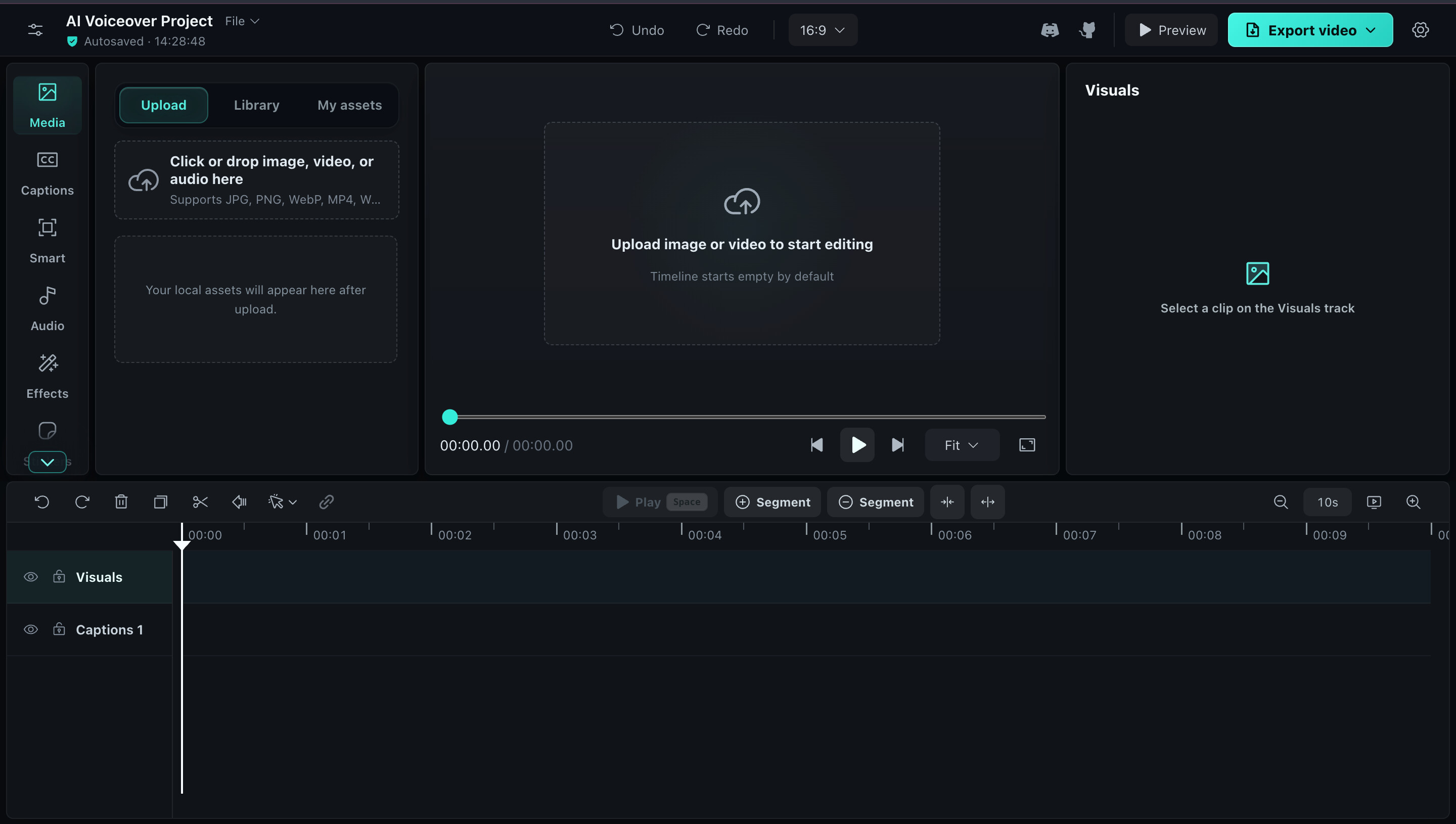
Timeline Studio combines a multi-track timeline with browser-based media processing and AI features. It is intended to keep projects editable and portable rather than returning only an opaque generated video.
What it currently supports
- A gapless main visual track with timed picture-in-picture overlays
- Captions, stickers, voiceovers, source audio and music on separate tracks
- Split, trim, duplicate, snapping, transitions, masks, filters, speed controls and keyframes
- Desktop color wheels and keyframeable visual adjustments
- Automatic captions using browser-local Whisper
- Multilingual browser voiceovers
- Browser-local AI music generation
- Smart framing, portrait matting and background removal
- Local AI repair, denoising and video restoration workflows
- Vocal separation
- Portable
.timelineproject files - Deterministic offline MP4/WebM export using WebCodecs, with compatibility fallbacks
- An installable PWA and an interface localized into 11 languages
Most supported AI workflows run through WebGPU, ONNX Runtime Web, WASM and WebCodecs. Large model files are downloaded only when a feature is first used and are then cached by the browser.
The editor also supports optional remote generation through an explicit plugin workspace. These integrations are kept separate from the local-first editing and inference paths, so users can see when an external provider is involved.
Agent-editable projects
The repository includes an edit-timeline-studio Skill for Codex, Claude Code, Copilot and Gemini CLI.
Instead of treating video editing as a one-shot render, the Skill works with stable clip IDs, timestamps and reversible edit plans. It can inspect portable projects, calculate semantic diffs, apply supported operations transactionally and preserve the editable .timeline project as the source of truth.
Project links
- GitHub: GitHub - MartinDelophy/ai-video-editor: Open-source, local-first video editor where creators and AI agents edit the same real timeline. · GitHub
- Live editor: https://video-editor.ai-creator.top/
- Editing handbook: GitHub - MartinDelophy/timeline-studio-handbook: Reproducible AI video editing workflows, result cases, and evaluation criteria powered by Timeline Studio. · GitHub
- License: MIT for the project’s original source code; downloaded third-party models retain their respective upstream licenses.
Current limitations
The heavier AI workflows work best in a modern Chromium browser with WebGPU support. Their first run may require a substantial model download, and performance varies significantly between devices.
The editor is actively being developed, so I am currently focusing on export reliability, timeline interaction, model delivery and expanding parity between interactive and agent-driven editing.
Deep-synthesis features are intended only for lawful and authorized use. In particular, users should only use faces or voices for which they have permission.
Feedback I’m looking for
I would especially appreciate feedback on:
- Whether the editor feels understandable to someone coming from a conventional desktop video editor
- Which browser or GPU combinations cause reliability or performance problems
- Whether the local-first and optional remote-plugin boundaries are clear
- Whether the portable project and agent-editing approach is useful in real workflows
- Which missing editing fundamentals should take priority over adding more AI features
Contributions involving browser media, WebCodecs, WebGPU/ONNX, timeline UX, localization and documentation are very welcome.
Thanks for taking a look!