simply sharing the planner sheet. Will be sharing the feedback form results here soon.
The event photos are available here (future events we use ente dw)
https://drive.google.com/drive/folders/1t1aU4bMLf4dgqjVy0Fh8Sw9OuUHJNkAg?usp=sharing
simply sharing the planner sheet. Will be sharing the feedback form results here soon.
The event photos are available here (future events we use ente dw)
https://drive.google.com/drive/folders/1t1aU4bMLf4dgqjVy0Fh8Sw9OuUHJNkAg?usp=sharing
Planning Kickstarted, in the below thread. further event related public updates and post event planners will be posted in the below thread.
Let’s hope this month long format yields crazy good projects!
Happy Hacking to all : )
Hello,
All preparations for tomorrow’s hackathon have been completed and the event is fully set from our end.
Event responsibilities:
Looking back, around one and a half months ago the idea of organizing this hackathon was still uncertain and seemed quite challenging. Since then, with consistent planning and coordination, things have steadily come together, and we now stand ready for the inauguration tomorrow.
Finally, we are all set for tomorrow’s event.
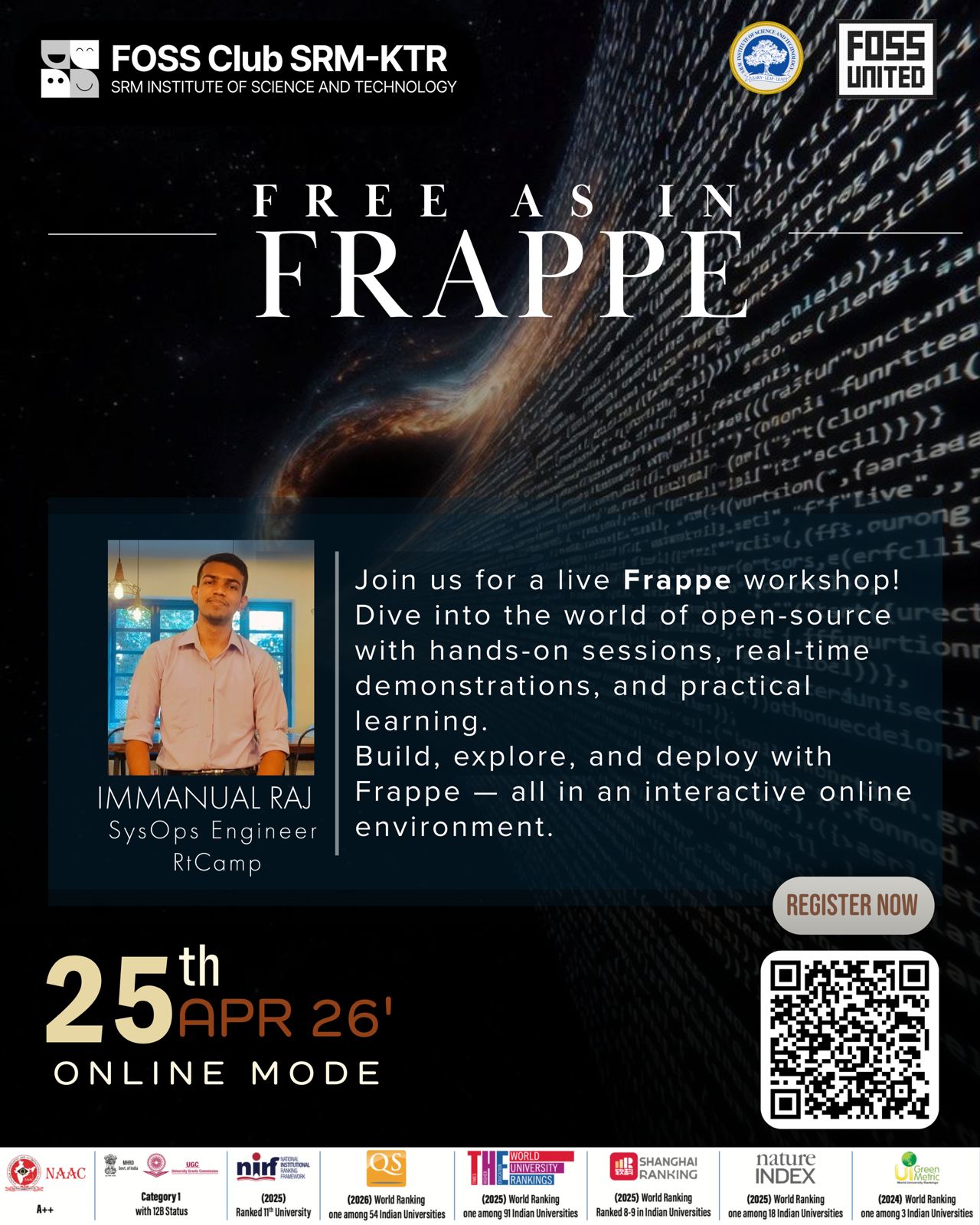
Hey everyone, I’m Adwaith from FOSS Club SRM-KTR. I was in the organizing team (POC) for the Frappe Workshop, and it was the Open Source Hands-on Session held on 6th May 2026. Sharing a quick overview and GBU of how it went, from an organizer’s perspective.
Event Intro
The Frappe Workshop was an online, hands-on session organized by FOSS Club SRM-KTR, featuring Immanuel Raj, who’s a SysOps Engineer at RtCamp as the speaker. We saw participation from students and also working professionals, all of them seemed genuinely curious about open-source tech. Thorough details regarding the session, technical content, and participant engagement are mentioned in the report attached below.
The FOSS Club SRM’s “Frappe Workshop” turned out to be very successful in terms of content and participation.
Good :
Bad :
Ugly :
In summary, the workshop served its purpose well in introducing Frappe and infrastructure tools used by it in open source projects.
Hey Folks,
I’m Sachin Prasanth, I’ll be starting my new position as a club lead of FOSS Club SRM.
Few things about myself:
I’ll be leading the club for the next few months and will be recruiting new members. Will be announcing the core members soon!
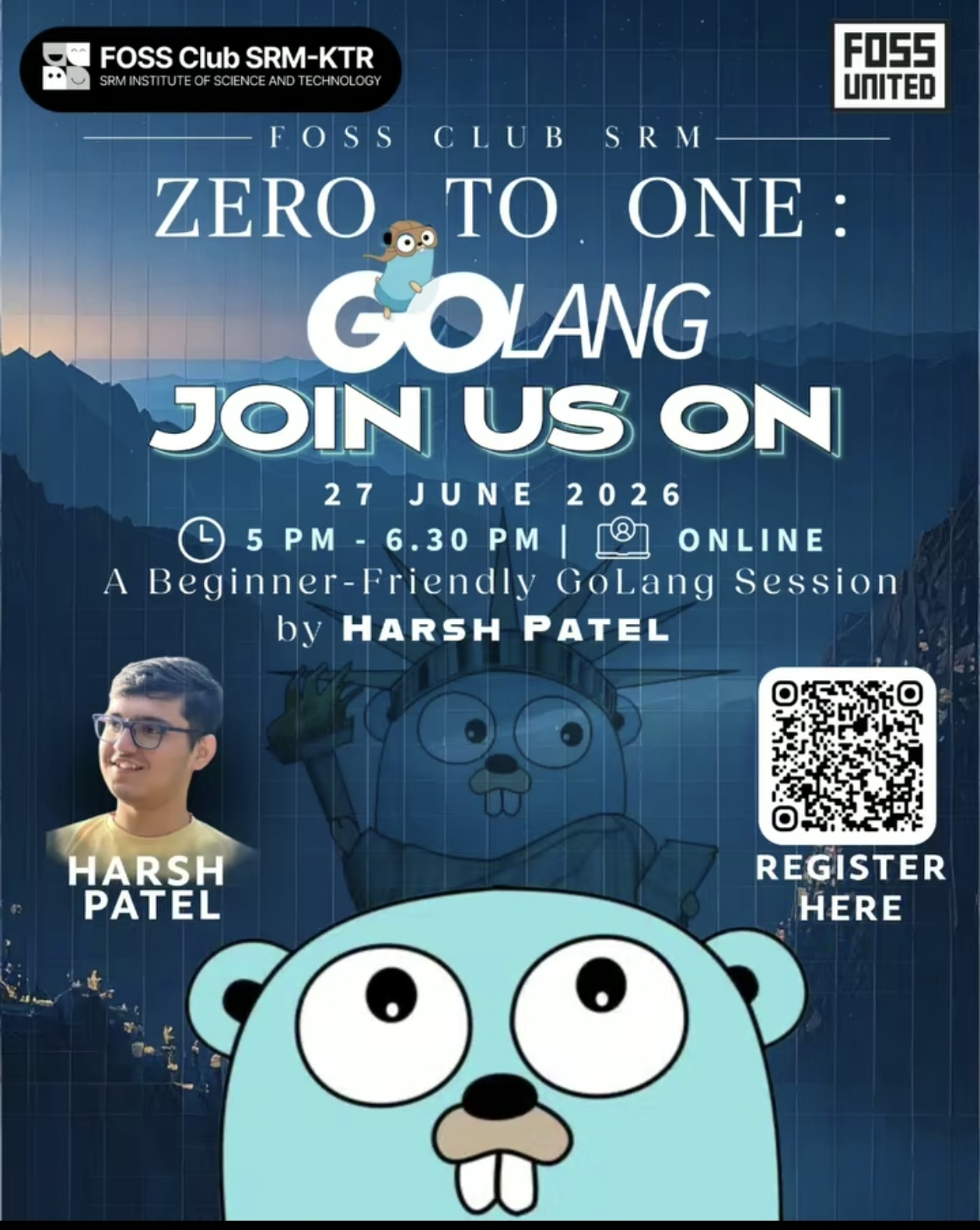
Hey everyone, I’m Adwaith from FOSS Club SRM-KTR. I was part of the organizing team (POC) for the “Zero to One: GoLang” session held on 27th June 2026. Sharing a quick GBU (Good, Bad & Ugly) of how the event went from an organizer’s perspective.
Event Intro
The Zero to One: GoLang session was an online beginner-friendly workshop organized by FOSS Club SRM-KTR in collaboration with FOSS United, featuring Harsh Patel as the speaker. Harsh is a Software Developer with industry experience in Go, backend development, automation, and large-scale web platforms, making him well-suited to introduce participants to Go and its ecosystem.
The session focused on helping beginners understand GoLang fundamentals, its syntax, development workflow, and practical use cases. Students from different years attended the workshop with an interest in learning a language that is widely used in cloud-native development, backend engineering, and open-source projects. Thorough details regarding the session, technical topics covered, and participant engagement are mentioned in the report attached below.
Overall, Zero to One: GoLang successfully achieved its objective of introducing participants to Go programming through practical explanations and real-world insights.
Good :
Strong participation throughout the session, with attendees actively engaging in discussions and asking questions.
The session was beginner-friendly, making it accessible even for participants with little or no prior experience in Go.
Harsh shared practical industry experiences alongside language concepts, helping participants understand where Go is used in real-world development.
Live demonstrations and code walkthroughs helped attendees better understand Go’s syntax and workflow.
Participants appreciated the interactive nature of the workshop and the opportunity to clarify doubts during the session.
Bad:
A few participants required additional assistance while setting up the Go development environment before following along with the coding examples.
Some topics had to be covered at a quicker pace towards the end due to time constraints, leaving limited time for advanced discussions.
Ugly :
Being an online event, a few attendees experienced occasional internet connectivity issues, causing them to miss parts of the live coding demonstrations.
Minor delays occurred while resolving setup-related issues for some participants, which briefly interrupted the flow of the session.
Summary
The Zero to One: GoLang workshop successfully introduced participants to the Go programming language and provided a solid foundation for those looking to explore backend development, cloud technologies, and open-source contributions. Harsh Patel’s industry experience and practical approach made the session engaging and informative, and participants left with a clearer understanding of how Go is used in modern software development.
Hello everyone,
I am officially out of college and stepping down from the FOSS club. I am going to share a few of my learnings and points with each of the future organisers of the clubs that they can follow.
I was very happy to get help of @Sachin_Prasanth when things got very busy and helping the club sustain. Currently the organiser position has been passed on to vaibhav who will also assisted by pranav from the FU Coimbatore chapter who is currently in SRM for masters. Thanks to you pranav as well to jumping in an sinking ship ASAP to help.
First explore Event Planning Guideline for Conferences - FOSS United Knowledge Base, https://docs.fossunited.org and then just read through below points
Basic things before the below procedures:
Procedures involved, all steps and progress ideally document in the forum:
As always, happy hacking, keep learning, growing.
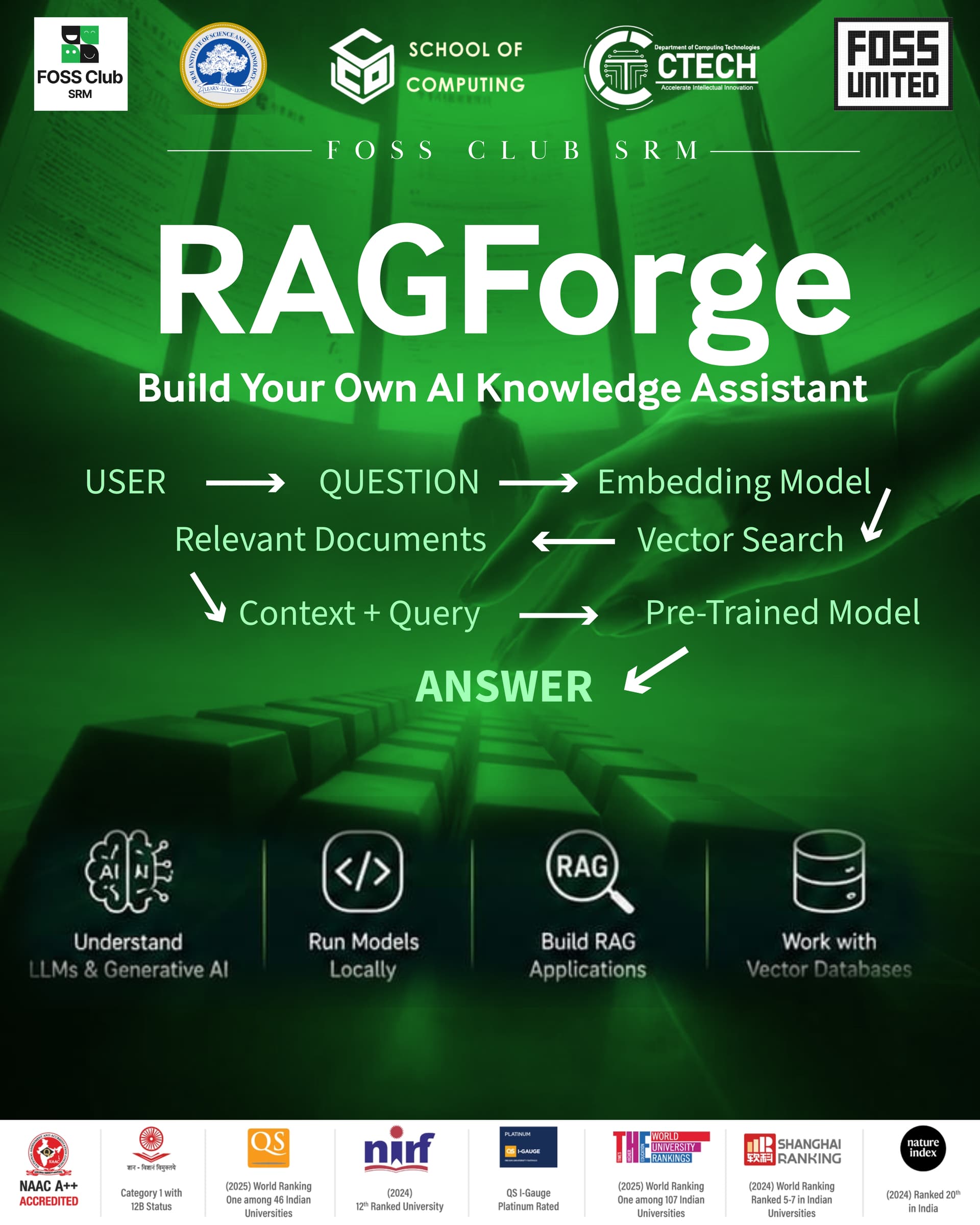
Hey everyone, I’m Vaibhav Gupta, Head of FOSS Club SRM-KTR. We recently organised “RAGForge: Build Your Own Local AI Knowledge Assistant”, a hands-on workshop focused on Retrieval-Augmented Generation (RAG) and building a local AI knowledge assistant. The event was held on 31st August 2026. Here’s a quick GBU (Good, Bad & Ugly) of how the event went from an organiser’s perspective.
RAGForge: Build Your Own Local AI Knowledge Assistant was a hands-on technical workshop organised by FOSS Club SRM-KTR at SRMIST, Kattankulathur.
The workshop was designed to introduce participants to the fundamentals of Large Language Models (LLMs), Retrieval-Augmented Generation (RAG), embeddings, vector databases, semantic search, and document processing through a practical, beginner-friendly approach.
Participants were introduced to tools and technologies such as Ollama, Qwen, ChromaDB, and Streamlit. The session went beyond theory, guiding participants through the complete process of building a functional local AI knowledge assistant — from uploading and processing documents to generating embeddings, retrieving relevant context, and generating responses using an LLM.
We also encouraged participants to fork the project repository and build upon it by creating their own applications, such as research-paper assistants, documentation chatbots, campus knowledge assistants, or completely new ideas.
Overall, RAGForge successfully achieved its objective of helping participants move from understanding the concepts behind RAG to actually building and experimenting with a working application.
RAGForge: Build Your Own Local AI Knowledge Assistant successfully introduced participants to the fundamentals and practical implementation of Retrieval-Augmented Generation.
The workshop provided hands-on exposure to LLMs, embeddings, semantic search, vector databases, document processing, and local AI models, while encouraging participants to experiment and build beyond the provided project.
From an organiser’s perspective, the event was a rewarding experience that allowed us to create a space for students to learn, build, experiment, and explore the possibilities of open-source AI.
The ultimate goal was simple: **move participants from “What is RAG?” to “Wait… I just built this.”
Vaibhav Gupta
FOSS Club SRM-KTR
RAGForge: Build Your Own Local AI Knowledge Assistant
Hands-on Workshop
RAGForge was a hands-on workshop organized by FOSS Club SRM-KTR to introduce participants to the fundamentals of Retrieval-Augmented Generation (RAG) and demonstrate how to build a local AI-powered knowledge assistant using open-source technologies.
The session covered the complete workflow of building a RAG-based application, starting from processing documents and preparing the data, followed by document chunking, generating embeddings, storing them in a vector database, performing semantic search, and finally augmenting an LLM’s context with the retrieved information.
Participants also explored how local LLMs can be run using Ollama and how these components can be combined to create a practical AI knowledge assistant without relying entirely on proprietary cloud-based AI services.
Speaker: Syeda Umaiza
Role: 4th Year Student & President, SWE SRMIST
She conducted the hands-on session and guided participants through the fundamentals and implementation of RAG. The session included:
No. The speaker was identified and coordinated by the FOSS Club SRM-KTR team.
In-person
Not applicable – the event was conducted in person.
36
The event received a positive response from the attendees, particularly because it combined conceptual understanding with a practical implementation of a RAG application.
The team focused on making the session beginner-friendly while still exposing participants to a real-world AI workflow. The hands-on nature of the workshop helped participants understand how different components of a RAG pipeline work together rather than treating LLMs as a black box.
The organizing team also handled event coordination, participant management, venue arrangements, communication and on-ground execution to ensure the session proceeded smoothly.
A major highlight was the participants’ interest in experimenting with local AI models and open-source tools. The interactive portions of the workshop generated considerable engagement and questions from attendees.
One area for improvement would be allocating more time for the hands-on implementation. Since RAG involves several interconnected components—document processing, chunking, embeddings, vector databases, retrieval and LLM integration—participants could benefit from additional time to troubleshoot their implementations individually.
For future editions, we could also provide a starter repository or setup guide before the event so participants can complete basic installation and environment setup beforehand. This would allow more time during the session to focus on understanding and building the actual application.
From the organizing side, having more volunteers assigned specifically to participant support during the hands-on portion could make troubleshooting faster and improve the experience for beginners.
The primary open-source technologies used during the workshop included:
The primary challenges were related to the setup and integration of multiple components required for the RAG pipeline.
Running local models can also require considerable computational resources, and participants with different hardware configurations may have experienced differences in setup time and performance.
Another challenge was understanding how document chunking, embeddings, vector search and LLM generation fit together. Since these were new concepts for many participants, additional explanation and troubleshooting were required during the hands-on portion.
These challenges were also valuable learning opportunities because participants could see the practical considerations involved in building a local AI application.
Ollama and the ability to run an LLM locally generated particularly strong interest among participants.
The idea of running AI models locally, without depending completely on external APIs, was one of the most engaging aspects of the workshop. Participants were especially interested in understanding how local models could be integrated into practical applications.
The successful execution of RAGForge was made possible through the collective efforts of our FOSS Club community members:
The event was a collaborative effort, with each team member contributing to different aspects of planning, venue coordination, technical execution, hospitality, documentation, and on-ground management.
Syeda Umaiza would be a strong candidate for future workshops, particularly around RAG, LLM applications, AI engineering and open-source AI tooling.
Her ability to explain the concepts while simultaneously demonstrating their practical implementation made her a good fit for technical workshops aimed at students and beginners.
We would also be interested in identifying active participants from this event who showed strong curiosity and technical engagement and potentially involving them as contributors, mentors or speakers in future FOSS Club activities.
A detailed breakdown can be provided as follows:
| Expense | Amount |
|---|---|
| Refreshments | ₹2750 |
| Lunch for Speaker & Organizing Team | ₹1000 |
| Printing / Posters / Standee | ₹245 |
| Total | ₹3995 |
RAGForge was an important step for FOSS Club SRM-KTR in introducing students to the rapidly evolving ecosystem of open-source AI and local LLM applications.
Rather than limiting the discussion to the theoretical concepts behind generative AI, the event demonstrated how open-source technologies can be combined to build a complete, functional application.
The workshop also reinforced the club’s goal of creating a practical learning environment where students can experiment with open-source technologies, collaborate with one another and build projects beyond the classroom.
For future events, the team would like to build upon this momentum with more advanced sessions around Agentic AI, RAG, LLM engineering, open-source models and AI-powered applications.
1. What is your name?
Vaibhav Gupta
2. What’s your Club’s name?
FOSS Club SRM-KTR
3. Event Name
Workshop on Mainframe Meets Open-Source
4. Event Type
Hands-on Technical Workshop & Keynote Session
5. Explain the event briefly
The workshop brought together enterprise infrastructure and modern open-source development practices to introduce students to mainframes.
The event featured a keynote by an industry leader from IBM, covering the architecture, security, scalability, and mission-critical role of IBM mainframes in banking and enterprise sectors. The talk highlighted how open source integrates with enterprise backends and enhances software engineering career prospects.
This was followed by a hands-on session where attendees were guided through Linux foundation concepts, mainframe open-source tooling, IBM account creation, and live course enrollments on IBM’s learning platform.
6. Speaker Details
Keynote Speaker: Senthil Nathan (Head of Product - DevOps ch IBM Z, Founder of Mainframer India, IBM)
Student Speaker / Workshop Lead: Tushar
7. Was the speaker provided to you by FOSS United?
No. The speakers were arranged and coordinated by the FOSS Club SRM-KTR team.
8. Mode of the Event
In-person
9. Livestream/Recording Link
Not applicable – the event was conducted offline in person.
10. Event Photos
11. How many people attended your event?
156 participants / out of 227 registration
12. What went well at the meetup?
High audience turnout and sustained engagement between students and an enterprise technology leader.
The dual-track structure: combining high-level enterprise architecture perspectives with a direct hands-on workshop.
Practical onboarding: participants created IBM learning accounts and enrolled in certification-tracked modules on the spot.
Smooth coordination, moderation, and stage management.
13. What could be improved?
Pre-allocating more lab machine setups or sharing prerequisite terminal configurations prior to the session to reduce individual troubleshooting during the hands-on segment.
Introducing a follow-up build-challenge or collaborative hack session directly applying the openframe/Linux tools learned during the workshop.
14. What open source tools did you use at your event?
Linux / Openframe ecosystem tools
Open-source DevOps and integration tooling on IBM Z architectures
Git & GitHub for open-source project exploration and contribution pipelines
15. Were there any challenges in using those tools?
Mainframe architecture involves distinct paradigms compared to standard cloud environments, requiring foundational setup explanations for beginners.
Network connectivity and account onboarding across 130+ concurrent machines during the interactive signup portion.
16. Was one of those tools a crowd favorite?
The Linux-on-Mainframe and open-source DevOps tooling for enterprise workflows, as well as the step-by-step pathway to openframe contribution repositories.
17. Link us to the contributions that your community members made at the event
Vaibhav Gupta: Overall event lead, speaker onboarding, venue permissions, logistical arrangements, and floor operations.
Pinakini & Meghna: Emcees; opened the event with an introduction to FOSS United and campus community initiatives, anchoring the flow throughout.
Tushar: Conducted the interactive student-led workshop, demonstrating IBM platforms and open-source contribution pathways.
Ayush & Anish: Technical support and participant machine troubleshooting.
Godwin, Adwith , Antony & Core Logistics Team: Managed hospitality, refreshment distribution, and on-ground coordination.
Photography & Media Team: Event documentation and photo coverage.
18. Did you find anybody at the event a good fit to be a mentor or speaker for future events?
Yes. Both Senthil Nathan (for enterprise open source, DevOps, and systems engineering) and Tushar (for peer-led hands-on workshops on systems software and Linux foundations).
19. Did you spend any money on the event?
Detailed breakdown:
| Expense Item | Amount |
|---|---|
| Refreshments & Hospitality | ₹3210 |
| Speaker Memento & Guest Welcome | ₹799 |
| Printing, Banners & Logistics | ₹80 |
| Total | ₹4089 |
20. Anything else you would want to note down for later?
Demystifying enterprise hardware and mainframes through an open-source lens sparked interest among early-year engineering students. Future sessions can build directly on this foundation by organizing code sprints on Linux Foundation openframe tools and enterprise open-source repositories.
1. What is your name?
Vaibhav Gupta
2. What’s your Club’s name?
FOSS Club SRM-KTR (organized in collaboration with FOSS Club CE Vadakara)
3. Event Name
Beyond the Model: Building AI That Knows Your Data
4. Event Type
Online Hands-on Workshop & Technical Masterclass
5. Explain the event briefly
“Beyond the Model” was an inter-chapter collaborative technical workshop hosted by FOSS Club SRM-KTR and FOSS Club CE Vadakara. The session moved past treating AI models as simple prompt-response tools, focusing on grounding Large Language Models in proprietary, local, and unstructured domain datasets.
The workshop walked participants through contextual data extraction, text parsing, semantic chunking strategies, vector embeddings, storage in vector datastores, and orchestrating retrieval-augmented pipelines entirely with open-source tools.
6. Speaker Details
Speaker: Syeda Umaiza Unsa
Role / Bio: Student, SRM Institute of Science and Technology; AI Enthusiast and Developer
Session Details: Guided attendees through the architecture of custom retrieval pipelines, indexing private documentation, semantic search, and combining retrieved contexts with open models.
7. Was the speaker provided to you by FOSS United?
No. The speaker was coordinated by the FOSS Club SRM-KTR team in collaboration with FOSS Club CE Vadakara.
8. Mode of the Event
Online (Hosted via Jitsi Meet)
9. Livestream/Recording Link
Session conducted live on Jitsi Meet (Recording link / repository shared with attendees).
10. Event Photos
NA
11. How many people attended your event?
15~20
12. What went well at the meetup?
Seamless inter-chapter cross-collaboration between FOSS SRM-KTR and FOSS CE Vadakara, utilizing 100% open-source communication infrastructure (Jitsi Meet).
Direct code demonstration demystifying how developers can build AI applications that reference private documents without vendor lock-in.
Highly active Q&A discussion covering embedding dimensionalities, chunk overlap strategies, and latency trade-offs.
13. What could be improved?
Pre-distributing containerized environments (such as Docker Compose files or GitHub Codespaces templates) so virtual attendees on low-spec hardware could follow the execution in real-time.
Extending the session by 30 minutes to permit an open breakout debugging room.
14. What open source tools did you use at your event?
Jitsi Meet: Open-source platform for conducting the virtual workshop.
Python: Core pipeline implementation.
LangChain / LlamaIndex / Python RAG Tooling: Pipeline orchestration.
ChromaDB / FAISS: Local vector database storage.
Sentence-Transformers: Open embedding models.
Ollama & Open Models: Running local inference models.
15. Were there any challenges in using those tools?
Managing differing participant Python versions and package dependency conflicts in a remote setting.
Explaining semantic distance and retrieval mechanics clearly over a virtual stream without in-person whiteboarding.
16. Was one of those tools a crowd favorite?
Vector database retrieval with ChromaDB/FAISS combined with local open models, demonstrating instant semantic search across custom documents.
17. Link us to the contributions that your community members made at the event
Vaibhav Gupta: Inter-chapter outreach with FOSS CE Vadakara, session structure planning, platform moderation, and speaker coordination.
Syeda Umaiza Unsa: Prepared workshop notebooks, code walkthroughs, and led the live technical presentation.
FOSS CE Vadakara Lead Team: Cross-campus registrations, joint promotions, and co-moderation of the Jitsi session.
18. Did you find anybody at the event a good fit to be a mentor or speaker for future events?
Syeda Umaiza Unsa continues to be an articulate mentor and speaker for hands-on developer workshops on RAG, document processing pipelines, and applied AI systems.
19. Did you spend any money on the event?
No expenses incurred (Event was hosted virtually on open-source infrastructure).
20. Anything else you would want to note down for later?
Collaborating with other campus FOSS clubs (like CE Vadakara) via open-source tools like Jitsi proved to be an effective model for knowledge sharing. We aim to conduct more multi-chapter virtual hack sessions and distributed study groups moving forward.
1. What is your name?
Vaibhav Gupta
2. What’s your Club’s name?
FOSS Club SRM-KTR (organized in collaboration with IEEE Computer Society SRMIST)
3. Event Name
Sarvam Campus '26 (Build with Sarvam on Your Campus)
4. Event Type
Industry Keynote, Live AI Model Demonstrations & Hands-on Buildathon
5. Explain the event briefly
Sarvam Campus '26 was an industry-academia immersion session organized by FOSS Club SRM-KTR and IEEE Computer Society SRMIST in collaboration with Sarvam AI. The event aimed to bridge the gap between academic learning and industry AI engineering, highlighting Sarvam’s vision and indigenous AI models built specifically for India.
The day featured technical keynotes and live demonstrations of Sarvam AI’s models, followed by an interactive Q&A regarding AI research, infrastructure, and careers.
The second half transitioned into a guided “Build Along” session / mini-buildathon where participants built functional prototypes leveraging real Sarvam AI APIs and credits, culminating in project evaluations and recognitions for the top 3 projects.
6. Speaker Details
Industry Guests from the Sarvam AI Team:
Ms. Shubhangi Tiwari: Product Marketing Manager, Sarvam AI
Mr. Vinayak Gavariya: AI Engineer, Sarvam AI
Mr. Dhruv Kant Ladia: Founding Forward Deployed AI Engineer, Sarvam AI
Session Details: Covered Sarvam’s AI models, foundational model engineering practices, enterprise deployment, live product demonstrations, and hands-on developer mentoring during the build along.
7. Was the speaker provided to you by FOSS United?
No. The speakers were directly invited and coordinated through the collaborative efforts of Sarvam AI, FOSS Club SRM-KTR, and IEEE CS SRMIST.
8. Mode of the Event
In-person (Venue: TP2 702, SRM Institute of Science and Technology, Kattankulathur)
9. Livestream/Recording Link
Not applicable – conducted as an offline, in-person campus hack and buildathon.
10. Event Photos
11. How many people attended your event?
Over 200+ student builders and developers attended.
12. What went well at the meetup?
High-impact interaction with core engineers and team members from one of India’s leading generative AI companies.
Participants received hands-on API access and developer credits to deploy real AI prototypes during the build along.
Competitive project showcase where students presented live working solutions to the Sarvam AI engineering team.
Strong collaborative partnership between FOSS Club SRM-KTR and IEEE Computer Society SRMIST, ensuring seamless logistics, crowd handling, and venue execution.
13. What could be improved?
Offering a longer incubation or judging window: while teams developed prototypes, dedicating a full 6–8 hour block or overnight track would allow for deeper, production-grade applications.
Providing structured starter boilerplates for different frameworks (Node.js, Flutter, Next.js) alongside the standard Python API SDK to speed up frontend development for diverse builders.
14. What open source tools did you use at your event?
Python & Streamlit / Gradio: Rapid frontend development and prototype interface building.
Open-source REST client libraries / SDKs: Integrating Sarvam’s API endpoints.
Git & GitHub: Code repository management and collaborative prototype submission.
Jupyter Notebooks / VS Code: Local environments for testing API workflows and inference pipelines.
15. Were there any challenges in using those tools?
Handling API latency, rate limits, and network traffic across 200+ concurrent developers hitting endpoints simultaneously during the build segment.
Assisting beginner developers who were working with API authentication, environment variables, and asynchronous Python calls for the first time.
16. Was one of those tools a crowd favorite?
Sarvam AI’s developer APIs (particularly speech and Indian language intelligence capabilities), integrated rapidly using Streamlit for instant visual deployment.
17. Link us to the contributions that your community members made at the event
Vaibhav Gupta: Overall leadership, joint liaison between FOSS Club SRM-KTR and IEEE Computer Society, venue logistics, operational execution, and stage coordination.
Organizing Team (FOSS Club SRM-KTR & IEEE Computer Society): Managed venue setups at TP2 702, participant desk check-ins, stage presentations, audio-visual technical setups, and discipline.
Technical Mentors & Facilitators: Assisted participants during the build-along sprint, troubleshooting environment variables, API keys, and code bugs.
Hospitality & Logistics Crew: Managed speaker reception, refreshment distribution, and student goodie coordination.
Media & Documentation Team: Photography, live updates, and preparation of the consolidated event report.
18. Did you find anybody at the event a good fit to be a mentor or speaker for future events?
The engineers from Sarvam AI (Dhruv Kant Ladia and Vinayak Gavariya) were exceptional technical mentors for future advanced AI engineering and model deployment sessions. Additionally, the student leads of the top 3 winning project teams demonstrated strong potential as peer mentors for upcoming club hackathons.
19. Did you spend any money on the event?
No expenses incurred by FOSS Club (Event logistics, refreshments, and goodies were supported and sponsored in collaboration with Sarvam AI and IEEE CS SRMIST).
20. Anything else you would want to note down for later?
Sarvam Campus '26 validated the appetite on campus for building localized AI solutions tailored to India’s multilingual landscape. Partnering with IEEE Computer Society provided great cross-club synergy. We should actively follow up with the top 3 teams to help them open-source their completed prototypes and submit them to broader hackathons or open-source grants.